
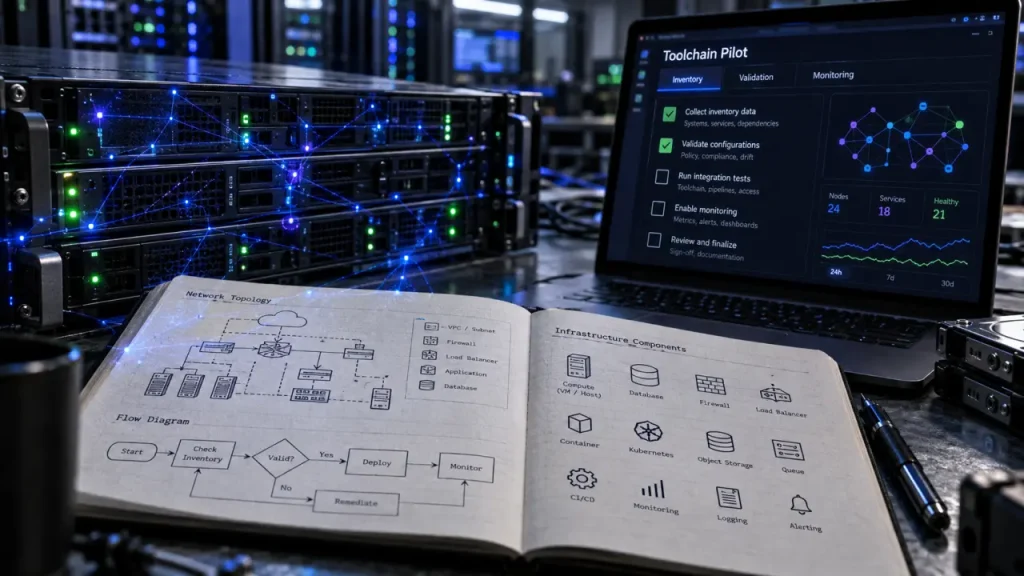
Network automation tools solve different problems: NetBox organizes infrastructure data, Ansible executes configuration tasks, Batfish analyzes proposed changes, Itential coordinates workflows, and Intermapper monitors performance. Choosing between them starts with identifying the missing capability—not finding the product with the longest feature list.
For many teams, the right solution is a connected toolchain rather than one platform. The key is understanding where each tool fits, what it requires, and how to test it against your own network.
Start with the operational job, not the product category
Network automation uses software to configure, manage, test, deploy, and operate physical and virtual network devices. It replaces repetitive manual steps with repeatable instructions, helping teams standardize configurations and reduce avoidable errors. However, automating an unreliable process can simply spread its mistakes faster.
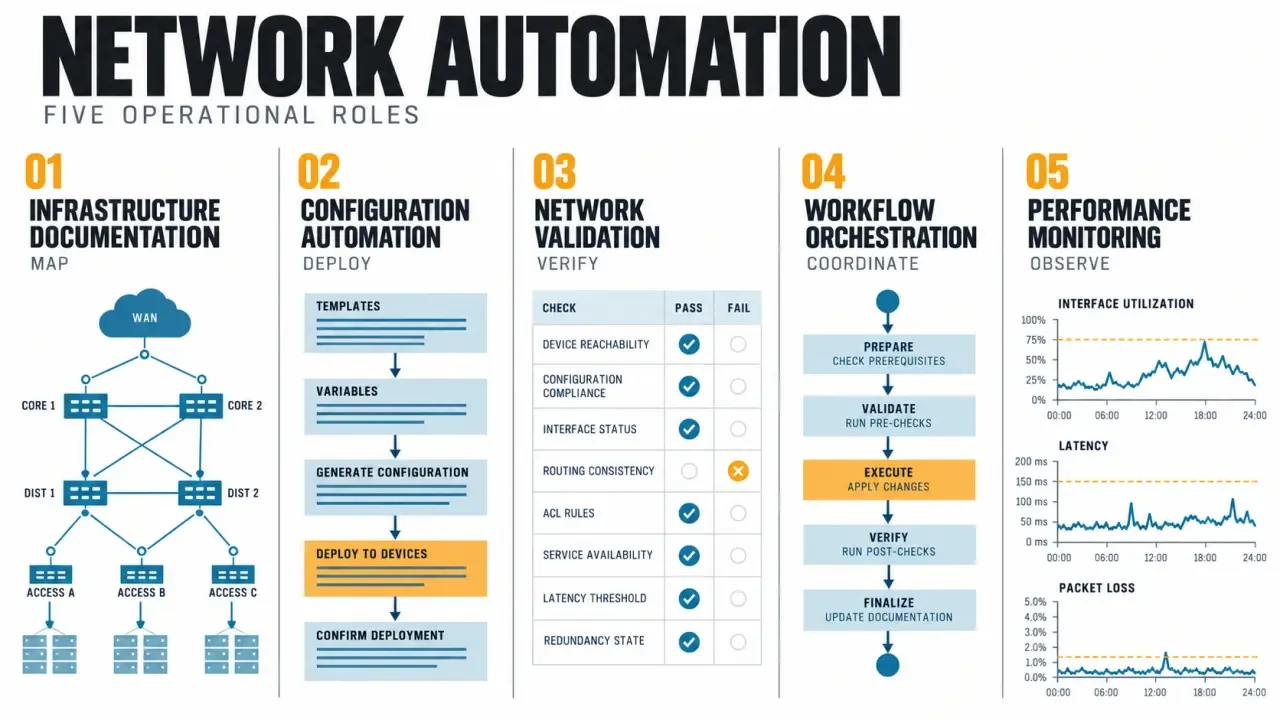
Automation, orchestration, validation, and monitoring are related but distinct. Automation performs a task, such as applying a configuration template. Orchestration coordinates several tasks, approvals, and systems. Validation checks whether a change meets technical or policy requirements. Monitoring observes the running network and reports availability or performance problems.
Translate your immediate problem into a concrete requirement:
- Inaccurate inventory: establish reliable device, interface, and IP address records.
- Repetitive configuration work: use reusable playbooks and templates.
- Risky routing or firewall changes: analyze intended behavior before deployment.
- Fragmented change processes: connect approvals, provisioning, checks, and ticket updates.
- Recurring slowdowns: collect performance metrics and examine historical trends.
This distinction prevents an expensive mismatch. A monitoring platform can reveal an overloaded link, but that does not make it a configuration engine. Likewise, successful playbook execution does not prove that application connectivity remains correct.
Compare five tools by their strongest role
These products belong in the same conversation, but they are not interchangeable. Use this comparison to build a shortlist around your operational needs.
| Tool | Primary role | Licensing or delivery approach | Main evaluation point |
|---|---|---|---|
| NetBox | Infrastructure documentation, inventory, and IP address management | Open source; managed NetBox Cloud offering | Data ownership and integration with execution tools |
| Ansible | Playbook-based configuration automation | Open-source engine; commercial platform options | Module coverage and playbook maintenance |
| Batfish | Configuration analysis and network policy validation | Open source | Supported configurations and model coverage |
| Itential | Multisystem workflow orchestration | Commercial platform | Integration depth and workflow governance |
| Intermapper | Visual network monitoring and performance analysis | Commercial software | Monitoring coverage, thresholds, and operational visibility |
NetBox and Ansible: reliable inputs and repeatable execution
NetBox centralizes infrastructure information, including devices, connections, and IP addressing. Its value is providing structured data that other systems can consume through APIs. It is not, by itself, a replacement for a configuration deployment engine. Teams need clear ownership of records and a process for keeping them accurate.
Ansible provides agentless, playbook-based automation and supports declarative approaches through appropriate modules. It suits repeatable provisioning and configuration tasks without requiring an agent on each network device. The trade-off is engineering responsibility: teams must maintain inventories, credentials, collections, templates, and tests. Verify support for your exact device operating systems and required operations.
Batfish, Itential, and Intermapper: validation, coordination, and visibility
Batfish models network behavior from configurations to investigate routing, reachability, and security policies. Its analysis can help identify problems before deployment, but coverage depends on supported features and the completeness of its inputs. Modeling complements live testing; it does not observe every runtime condition.
Itential focuses on orchestrating workflows across network systems and external services. It is worth evaluating when a change spans several domains, tools, or approval stages. Test the depth of each required integration rather than assuming a connector covers every operation.
Fortra’s Intermapper emphasizes network maps, monitoring, alerts, and historical performance information. It helps teams investigate bottlenecks and resource utilization. Availability alone is insufficient: a reachable device can still deliver poor service. Treat Intermapper primarily as a visibility layer, not a substitute for configuration automation.
Evaluate the complete change lifecycle
Gartner identifies six mandatory capability areas for network automation platforms: automation engine, network orchestration, multidomain and multivendor support, network configuration management, system integration, and centralized management. These provide a useful evaluation framework, even when several products collectively deliver the capabilities.
Build the toolchain like a scaffold: inventory supplies the reference points, templates provide repeatable structure, validation acts as bracing, and monitoring checks whether the finished work holds under load. Every handoff needs an explicit contract—device identity, intended state, input version, and success criteria. Otherwise, individually capable tools can confidently act on different versions of the network.
- Compatibility: test actual hardware, software releases, protocols, and features across campus, branch, data center, cloud, and firewall environments.
- Configuration lifecycle: verify archiving, backup, restore, rollback, drift detection, remediation, and reporting where required.
- Integrations: inspect REST APIs and connections to version control, IT service management, cloud services, and observability systems.
- Governance: require role-based access control, protected credentials, audit trails, and approval boundaries.
- Failure handling: test timeouts, unreachable devices, partial completion, retries, and interrupted workflows.
Pay particular attention to rollback. Restoring a configuration file is not necessarily equivalent to restoring service. A safe recovery plan must account for device behavior, dependencies, and whether management access survives the failed change.
Compare ownership costs and deployment constraints
Open-source tools offer customization and avoid software license fees, but they still require hosting, maintenance, upgrades, training, and engineering time. A flexible stack can be economical for a team with software skills and an established operating model; it can become burdensome without clear maintenance ownership.
Commercial platforms may provide support, centralized administration, and packaged integrations. Managed cloud offerings can reduce infrastructure upkeep, but check which responsibilities remain yours. Do not assume every subscription includes high availability, backups, single sign-on, or unlimited integration support.
Compare costs against the same scope:
- Licensing or subscriptions, including applicable usage limits.
- Infrastructure, storage, availability, and backup requirements.
- Integration development and ongoing workflow maintenance.
- Training, support, upgrades, and incident response.
- Security reviews and connectivity to restricted management networks.
For on-premises and cloud-hosted options alike, examine credential storage, data retention, access controls, and network reachability. Request pricing against your anticipated deployment rather than relying on a starting price that excludes essential capabilities.
Prove the shortlist with one controlled workflow
Start with a repeatable, low-risk change that currently consumes noticeable effort. A standardized interface configuration on a limited device group is more useful for evaluation than an ambitious enterprise-wide rollout. Define the intended result and recovery procedure before running anything.
- Establish inputs: confirm inventory accuracy, device support, credentials, and configuration backups.
- Version the change: store templates, playbooks, and policy checks in a controlled repository.
- Validate before deployment: review generated configurations and test relevant connectivity or security requirements.
- Deploy in a small batch: use an approval gate and stop conditions for unexpected results.
- Verify afterward: compare intended and actual state, check service health, and retain execution records.
Measure hands-on effort, completion time, exceptions, recovery effort, and maintenance burden. If testing event-driven remediation, begin with alerts and human approval rather than unrestricted automatic changes.
Choose the smallest maintainable stack that closes your operational gap. Expand only after the pilot demonstrates dependable inputs, predictable execution, meaningful validation, and a recovery path your team can actually use.