
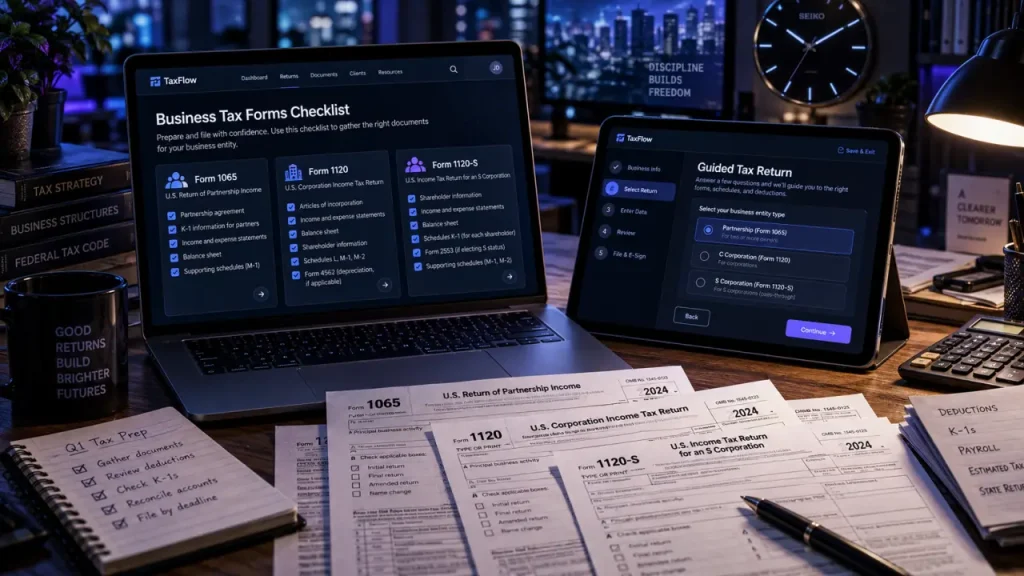
The right business tax return software must support your federal tax form before its price, interface, or guarantees matter. A freelancer filing Schedule C needs a different product from a partnership filing Form 1065. Start with your tax classification, then compare state filing, accounting imports, and the level of help you need.
For straightforward self-employment, inexpensive personal tax software may be enough. Partnerships and corporations need entity-specific preparation. An LLC can fall into either group, depending on its tax treatment.
Match the software to your return, not just your business name
“Small business” is a marketing label, not a promise of form coverage. A product advertised for business owners may handle self-employment income on a personal return without preparing a separate partnership or corporate return.
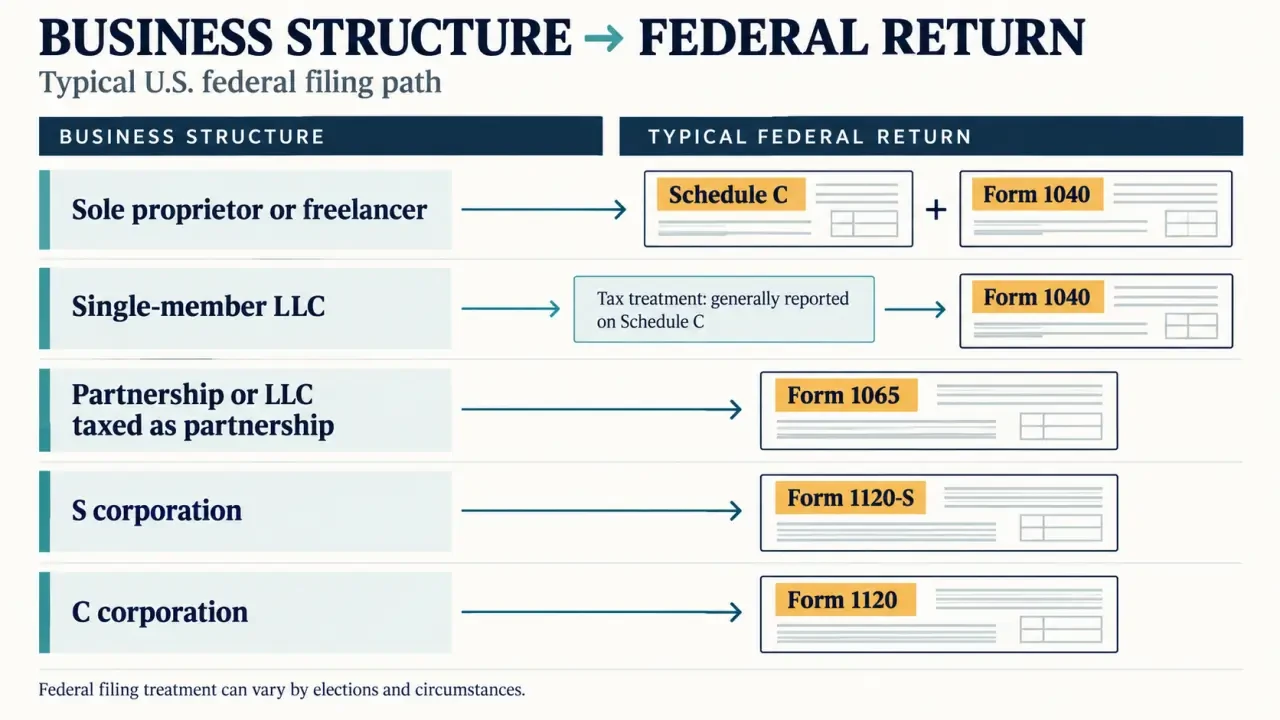
| Business tax situation | Typical federal filing | Software requirement |
|---|---|---|
| Sole proprietor or freelancer | Schedule C with Form 1040 | Personal tax software supporting business income and expenses |
| Single-member LLC without a corporate tax election | Usually Schedule C for an individual owner’s trade or business | Self-employment coverage appropriate to the activity |
| Partnership or LLC taxed as a partnership | Form 1065 | Dedicated partnership return preparation and partner schedules |
| S corporation | Form 1120-S | S-corporation preparation and shareholder schedules |
| C corporation | Form 1120 | Corporate income tax preparation |
Confirm your classification using prior returns and any tax-election documents. Forming an LLC does not, by itself, establish which federal return you must file. If ownership or tax treatment changed, resolve that question before importing last year’s information.
Also check the corresponding state business return. Federal compatibility does not guarantee support for every state, local obligation, or specialized schedule. Payroll and sales tax filings may require separate services.
Build a provider shortlist around the work you need done
These providers serve different needs, and their product editions are not interchangeable. Use the comparison below to narrow your search, then verify the exact plan’s forms, platform requirements, and filing limits before purchase.
Official IRS Guide to Filing Form 1120-S · Find requirements and guidance for reporting an S corporation’s income, deductions, credits, gains, and losses.
| Provider | Reason to consider it | Important purchase check |
|---|---|---|
| TaxSlayer | Budget-focused comparison for self-employed filers | Confirm Schedule C coverage, state charges, and support level; do not assume separate entity returns are included. |
| FreeTaxUSA | Free federal personal filing, including self-employment situations | State filing is listed at $15.99; verify current pricing. It is not a substitute for dedicated corporate or partnership preparation. |
| TurboTax | Guided preparation and QuickBooks-related import options | Distinguish self-employed personal filing from entity-return products and verify import compatibility. |
| TaxAct | Personal and business return options with accuracy-guarantee positioning | Select the edition for Form 1065, 1120, or 1120-S where needed; examine guarantee conditions. |
| H&R Block | Personal-and-business software packages and assistance options | Check operating-system compatibility, supported entities, and whether assistance applies to your return. |
H&R Block Premium & Business advertises five federal e-files. Its plan information also describes one included state, but check whether that means state preparation, a download, or electronic transmission. Those are different benefits. AI Tax Assist, live chat, and professional help should likewise be verified for the specific package.
TaxAct advertises a $100,000 accuracy guarantee covering eligible filers using Forms 1040, 1065, 1120, and 1120-S. Read the terms for eligible errors, reimbursement limits, exclusions, and claim procedures. A guarantee is not audit representation or confirmation that every deduction you enter is valid.
When reading customer reviews, prioritize experiences involving your entity type and edition. A freelancer’s smooth Schedule C experience says little about preparing a partnership return.
Compare the total filing cost and the escape routes
A useful budgeting range for business tax-preparation software is $50 to $200, although free federal personal filing and more expensive assisted services sit outside that range. Professional preparation is often compared with an approximate $600 average; actual quotes vary substantially with entity complexity, bookkeeping quality, and location. Neither figure is a fixed quote.
Compare the complete checkout cost, not the opening advertisement. Include federal preparation, each state, electronic filing charges, expert review, and any separate personal return. Check whether amendments, prior-year returns, and extensions require another product or payment.
Think of your filing setup as a raft: the lowest-priced deck is not useful if a missing support leaves you stranded midway. Before paying, identify your “exit route”—whether you can export entered data, download a draft return, and hand organized records to a professional. Portability matters when an unexpected ownership change or unsupported state form turns a simple filing into a complicated one.
Test accounting imports early. “QuickBooks integration” may mean a particular upload format, desktop workflow, or supported edition rather than continuous synchronization. Reconcile imported income, expenses, assets, and liabilities against your books; automation can carry incorrect classifications into the return just as efficiently as correct ones.
Prepare, transmit, and verify acceptance
Most commercial software uses guided questions to turn business records into tax forms. That reduces manual calculations, but the quality of the return still depends on complete records and accurate answers.
- Close the books. Reconcile bank and credit card accounts, separate personal spending, and assemble income statements, balance sheets where relevant, asset purchases, payroll records, and estimated tax payments.
- Review the tax treatment. Check deductions, credits, inventory, depreciation, and owner transactions rather than accepting every imported category.
- Run the software review. Resolve missing information, identification mismatches, and flagged inconsistencies before signing.
- Sign and transmit. Follow the signature requirements for your return. Personal returns may use a self-select PIN and prior-year adjusted gross income for authentication; business entity returns have their own authorization requirements.
- Check acceptance and payment. Save federal and state acknowledgments separately, along with the completed return and payment confirmation.
The IRS explains that commercial e-file submissions travel through an IRS-approved secure channel, not ordinary email. IRS systems check for certain errors, and rejected returns may need correction and retransmission. Acceptance does not mean the IRS has audited or approved every tax position.
Payment is a separate step. Depending on the tax and taxpayer, options can include electronic funds withdrawal, Direct Pay, other business electronic payment services, cards, or a mailed check or money order. Confirm eligibility, fees, and the debit date. An extension generally extends filing time, not payment time.
Pay for professional judgment when software guidance is not enough
DIY software is most suitable when the business structure is stable, the books reconcile, and you understand the transactions. Seek a CPA or enrolled agent when there are complex partnership allocations, ownership changes, multistate activity, foreign reporting, or uncertainty about accounting methods. Legal disputes or restructuring may also call for a tax attorney.
Distinguish technical support from tax advice. Live chat may help you navigate screens without evaluating a deduction. AI assistance can explain terminology, but consequential decisions deserve qualified review. Ask whether expert support covers your entity, includes return review, or provides representation after filing.
Protect access with a unique password and multifactor authentication where available. Review document retention, download options, and account-recovery procedures before uploading sensitive records.
The practical choice is the least expensive plan that fully supports your return and your required assistance. Confirm the form first, test imports next, compare the complete price, and only then commit. If the unresolved issue is tax judgment rather than data entry, professional help is the more useful purchase.