
Merlin Business Software is a distribution-focused enterprise resource planning (ERP) system for wholesalers, distributors, merchants and retailers. Now part of Aptean, it connects stock control, sales, purchasing, financial processes and delivery management. If you are looking for the official provider, Aptean’s Merlin product page and the Merlin Business Software website are the relevant starting points for product information and demo enquiries.
The buying question is whether Merlin can handle your catalogue, customer terms, branches and fulfilment routines without creating workarounds. Its distribution focus makes those operational details the right place to start.
Where Merlin fits—and what its Aptean ownership means
Merlin is an operational ERP rather than a standalone inventory application or accounting package. Its purpose is to connect the commercial and physical sides of a distribution business: what customers order, what stock is available, what needs purchasing, what gets delivered and what must be invoiced.
Founded in 1976, Merlin has longstanding UK market roots and was acquired by Aptean in October 2022. That distinction matters when researching the product: Merlin is the specific ERP, while Aptean is the wider software provider behind it.
Best-fit businesses have distribution complexity
Merlin targets wholesalers, distributors, merchants and retailers, including both single-branch and multi-site operations. Its relevance becomes clearer where businesses manage complex product catalogues, trade counters, negotiated account terms and multi-drop deliveries. These requirements often stretch systems built primarily for straightforward retail transactions or bookkeeping.
Company size alone is therefore a poor selection criterion. A single depot with complicated customer pricing and delivery arrangements may need more operational depth than a larger business with simple transactions. Assess Merlin against your workflows, not just your turnover or employee count.
Separate group credentials from product evidence
Aptean operates in 80+ countries and reports 300+ new features released across its products over the past three years. Those figures indicate group scale and development activity, not a Merlin-specific release count. Likewise, wider Aptean awards or review scores should not substitute for references from businesses using Merlin in comparable operations.
Follow one order through the system before comparing features
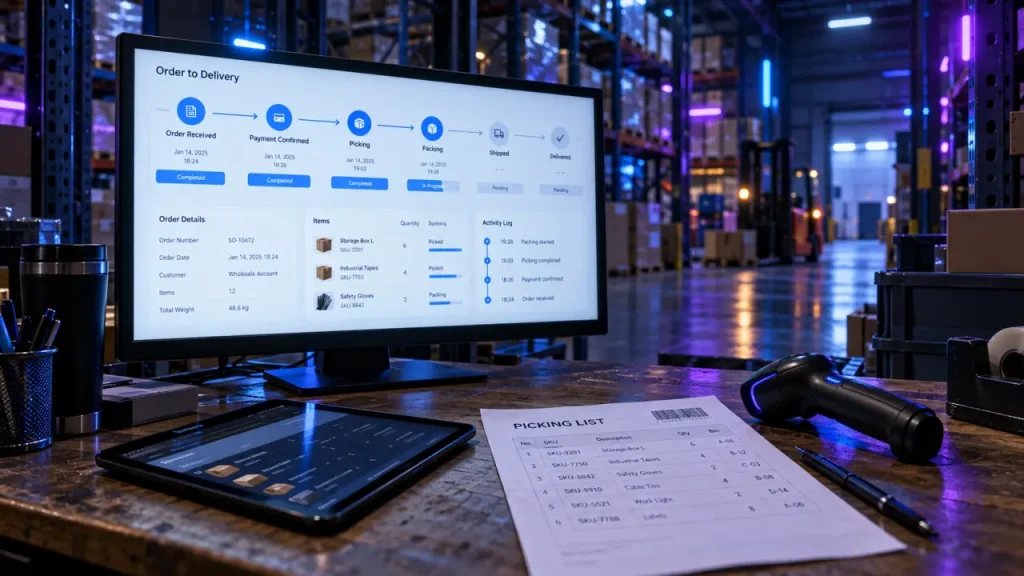
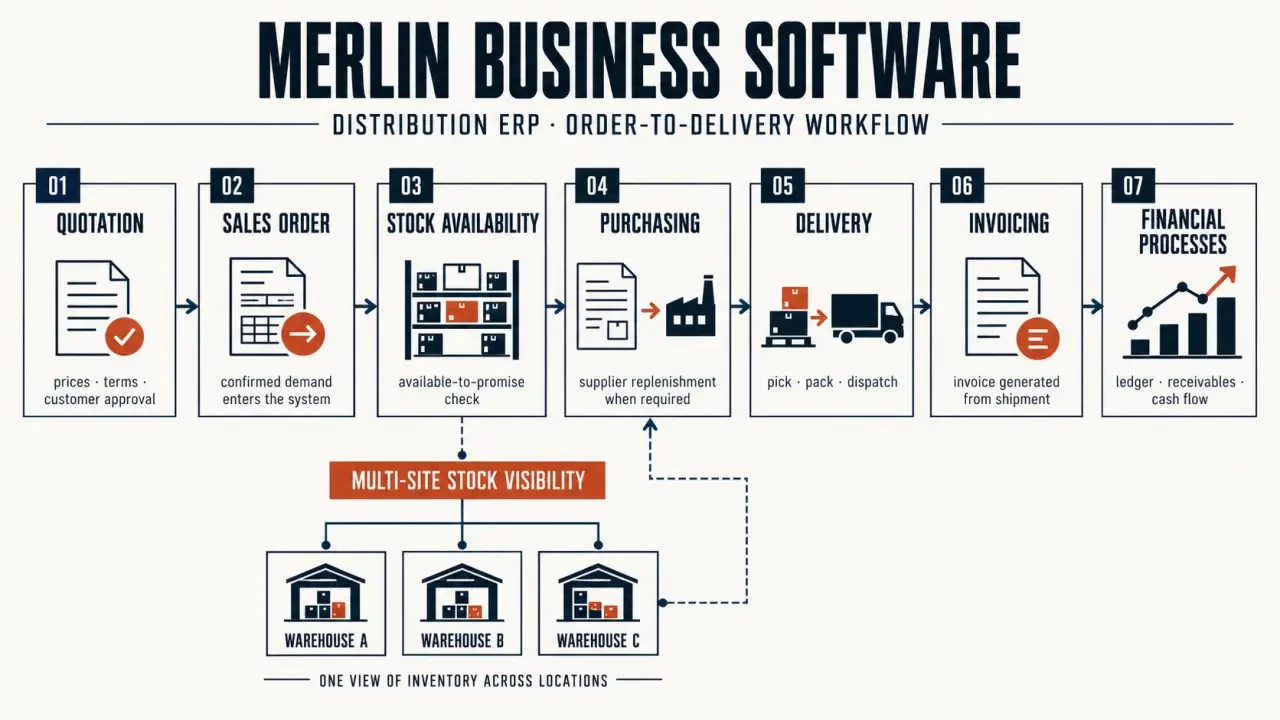
Merlin covers the full order-to-delivery cycle, including quoting, sales order processing, stock management, purchasing, delivery, invoicing and financials. The value of that coverage is continuity: staff should not need to reconstruct the same transaction across disconnected applications.
Merlin ERP Solutions for Distribution Businesses · Explore Merlin Business Software’s tools to streamline operations, improve efficiency, and support sustainable business growth.
A useful evaluation follows a real customer order from quotation to financial completion. Include an exception, such as insufficient stock or a changed delivery requirement. Routine transactions show the interface; exceptions reveal whether the system fits your business.
| Process | Merlin’s stated coverage | What to demonstrate |
|---|---|---|
| Quotation and sale | Quoting and sales order processing | Your catalogue and negotiated customer terms |
| Stock and purchasing | Stock control and purchasing | Availability checks and the response to a shortage |
| Fulfilment | Delivery management, including multi-drop operations | Your dispatch sequence and delivery changes |
| Finance | Invoicing and financial processes | The connection between the order, invoice and accounts |
| Branches | Single-branch and multi-site operations | Stock visibility and responsibilities across locations |
For trade-counter businesses, include a counter transaction alongside an account order. For multi-site operators, ask users from different branches to review the same scenario. This exposes differences in permissions, working practices and information needs before implementation begins.
Do not assume every specialist capability is included as standard. Confirm the scope of warehouse processes, reporting, mobile access and third-party connections in the proposed package.
Judge stock control by cash released, not inventory visibility alone
Merlin’s stock-control positioning focuses on reducing overstocking and the “dead money” tied up in inventory. Visibility matters because purchasing decisions depend on knowing what is available and where. However, displaying quantities is only the starting point: buyers need to understand which information supports a replenishment decision.
Ask the demonstration team to use examples of slow-moving stock, a frequently unavailable item and a product held across several locations. Check how users distinguish stock they can sell from stock already committed, and ask which replenishment methods and inventory reports are supported. These details require confirmation rather than assumptions about generic ERP functionality.
Think of inventory as a spring: too much compression stores pressure in the form of tied-up cash, while too little leaves no buffer when demand changes. Before a spring demand peak, review seasonal items separately from steady sellers. Ask whether Merlin can present the sales history, purchasing lead times and branch-level stock information needed to distinguish a deliberate seasonal build from genuine dead stock. A blanket stock reduction can otherwise remove the buffer your busiest period requires.
Set a baseline before discussing return on investment. Record stock value, aged inventory, stockouts and time spent checking availability. These measures give you a way to assess progress after go-live without relying on an unverified savings percentage.
Verify the cloud, integrations and support behind the proposal
AppCentral and AI need a defined use case
Aptean’s AppCentral provides an ecosystem of industry-focused applications, while Aptean Intelligence adds AI-enabled insights and operational assistance. These are relevant extensions to investigate, but they should not be treated as proof that every application or AI workflow is included in a Merlin subscription.
Request a clear distinction between native Merlin functions, optional applications, configured connections and custom development. For ecommerce, carriers, reporting tools or other existing systems, ask for the supported integration method, ownership of maintenance and any additional charges. Have AI demonstrated against a specific task rather than a broad productivity promise.
Check security scope, not just security labels
Aptean’s cloud security information references Microsoft Azure, continuous backups, redundant servers, 24/7 monitoring and penetration testing. References also include SOC 2 Type II and ISO 27001. Confirm which services, environments and organisational entities those assurances cover for your proposed Merlin deployment.
Ask for contractual details on data residency, access controls, restoration procedures, recovery objectives and incident communication. Backups and redundancy serve different purposes; neither removes the need to understand how your business would resume trading after an outage.
Post-go-live support includes dedicated teams, documentation, self-service portals, training resources, live instructional webinars and AI-driven assistance within AppCentral. Confirm the applicable support hours, escalation route and responsibility for connected applications.
Turn the product demo into an implementation decision
Merlin’s implementation approach includes roadmap planning, training, testing and onboarding. Your evaluation should establish what each stage requires from your team, especially where experienced staff must balance project work with daily trading.
Request a personalised demonstration after an initial product tour. Send representative products, customer terms and anonymised transaction examples in advance, then involve sales, purchasing, warehouse and finance users.
- Test operational fit: follow a normal order and an exception through to invoicing.
- Define migration: agree which records, opening balances and transaction history will move, and who cleans them.
- Plan acceptance testing: assign business owners to approve workflows before go-live.
- Obtain a complete quotation: separate licensing, implementation, migration, training, integrations and ongoing support.
- Request comparable references: prioritise Merlin customers with similar catalogues, branches and delivery models.
There is no single reliable Merlin price or implementation duration to apply to every business. Obtain a scoped proposal and compare it with other distribution ERP systems using the same scenarios and cost categories. The strongest reason to shortlist Merlin is demonstrated distribution fit—supported by a credible migration plan, clear service commitments and evidence that your users can complete their work.