
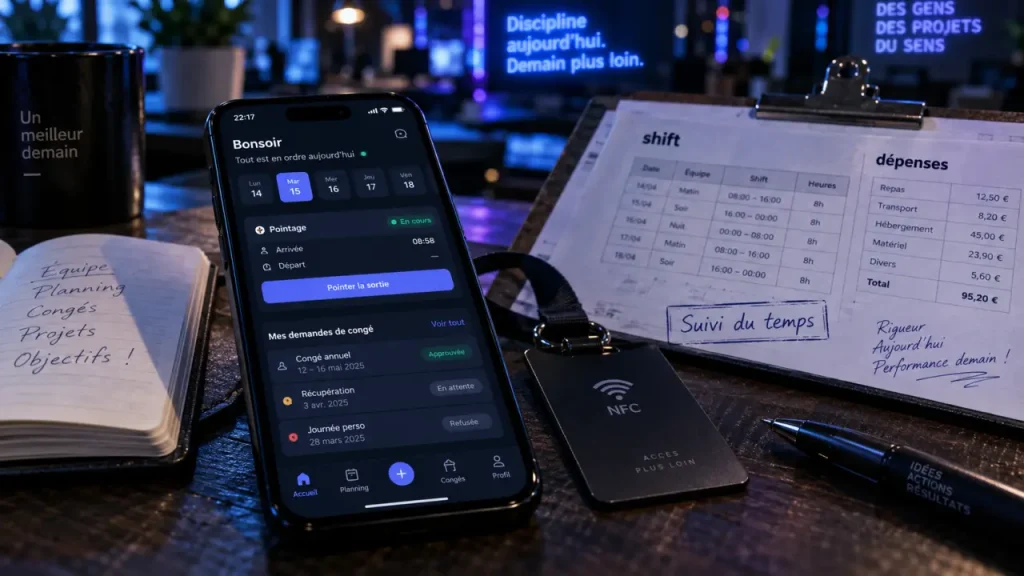
Fluida is a mobile-first HR and workforce-management platform, not a broad all-in-one system for accounting or CRM. It brings everyday people operations into one place, including attendance, shifts, leave, expense reports, employee documents, and activity summaries. For businesses replacing disconnected spreadsheets and manual follow-ups, its main value is shared, current information for employees and managers through a mobile app and web browser.
What Fluida brings into one daily workflow
Fluida business management software centralizes recurring tasks that often move between timesheets, email threads, paper receipts, shared calendars, and spreadsheet tabs. Employees can clock in, request time off, submit an expense, or retrieve a document. Managers can review requests, monitor attendance, organize shifts, and consult activity information without entering the same data in several tools.
The product focuses on HR administration and workforce operations. That distinction matters when comparing software. Fluida covers employee management, time and attendance, scheduling, absences, expenses, documents, and activity reporting by team or client. The available product information does not establish it as a replacement for payroll processing, accounting, customer relationship management, or project-management software.
| Operational need | Fluida capability described | Practical outcome |
|---|---|---|
| Time and attendance | Clock-in and clock-out with several location-aware options | Current visibility of who is working and where |
| Shift-based work | Templates, custom shifts, breaks, changes, and overtime triggers | More structured scheduling and fewer manual adjustments |
| Absences | Leave and time-off requests with manager decisions and calendar updates | A clearer view of availability |
| Expenses | Receipt capture, categories, mileage calculations, approval, and reimbursement | A traceable route from purchase to repayment |
| Employee records | Digital storage for payslips, contracts, and receipts | Less dependence on paper folders and email attachments |
Attendance that fits office, field, and remote teams
Clocking methods can match the workplace
Attendance is one of Fluida’s strongest functional areas. Employees can clock in and out on site or remotely, using options that include smartphones, NFC badges, Bluetooth, GPS, and predefined geographic areas. This gives a company more than one way to define a valid attendance event. A fixed workplace may favor NFC or Bluetooth. A distributed team may need GPS-supported mobile clocking, while a multi-site operation may use predefined areas to align check-ins with a specific location.
The right choice is not necessarily the most technical one. It is the method employees can follow consistently and managers can explain clearly. Before rollout, define which roles need a location-based check-in, which employees can work remotely, and what happens when a worker changes site during the day. A reliable policy is as important as the clocking technology itself.
Think of attendance as a channel, not just a timestamp
Attendance data connects the operational floor with the people responsible for planning it. A clock-in can show more than presence. It can indicate whether a shift started as scheduled, whether a site is staffed, and whether a manager needs to reorganize work before a service gap grows. When this information reaches the right person in real time, attendance becomes an early signal for capacity, handovers, coverage, and workload instead of an end-of-month administrative task.
From shift plan to overtime without rebuilding the schedule
Fluida supports daily and weekly shift templates, custom shifts, flexible shift selection, shift-change requests, breaks, rounding adjustments, deferred shifts, and overtime triggers. These options suit workplaces where schedules vary. Retail locations, operational sites, service teams, and companies balancing office-based and remote staff can all use different working patterns.
A practical configuration starts with the rules that recur. Build templates for standard opening, closing, daytime, or weekend patterns, then use custom shifts for exceptions instead of creating every schedule from scratch. Managers should also agree on how breaks, shift changes, and rounding adjustments are handled before the system is opened to the wider team. Otherwise, a digital workflow can reproduce the ambiguity of the spreadsheet it was meant to replace.
Overtime depends on configuration. The platform can use configured thresholds to trigger overtime, but a business should first establish who reviews exceptions and how schedule changes are recorded. Real-time information helps only when the team has a clear response process behind it.
Leave, expenses, and documents: the administrative trail stays connected
Leave requests become visible availability
Employees can submit leave, holiday, absence, and time-off requests, while managers can approve or reject them. Once approved, leave can synchronize with the company calendar, making availability easier to see across the organization. Employee summaries and manager overviews reduce the need to chase request status through email.
The benefit is not limited to faster approval. A shared calendar helps the person planning shifts see future constraints before assigning coverage, while employees get a clearer view of their request. This matters when attendance must be coordinated across several sites or a mix of on-site and remote roles.
Expense reporting covers receipts and mileage
For expenses, Fluida supports receipt image capture, expense categories, submission, approval, reimbursement, and secure storage. Mileage reimbursement can use departure and arrival addresses, distance, and average fuel-consumption calculation. This creates a more structured workflow than collecting receipts at the end of a reporting period and asking finance or managers to interpret incomplete information.
Digital documents apply the same principle. Payslips, contracts, and receipts can be stored in a central employee repository, helping staff find essential records without relying on paper copies or scattered attachments. Activity summaries can also associate work with teams and clients, supporting analysis of time, costs, and job results.
How to assess Fluida before requesting access
Fluida is most relevant for organizations that need better control of employee operations across locations, schedules, and work arrangements. It may suit a business dealing with manual attendance tracking, slow absence approvals, shift reorganization, paper expense administration, or uncertainty about staff availability. Customer references include Celestial Map, Takis Biotech, Bertoldi Boats Ltd., Pescanova, Frigoveneta, Italian Fashion & Logistics Ltd., Rossignol Group Italy, and Marketing Espresso. One testimonial refers to managing more than 50 employees.
The available customer feedback also describes reduced spreadsheet work, improved communication, simpler processes, and responsive support. These statements provide useful context for an evaluation, but they do not replace a structured product test. Company size, work locations, approval rules, and scheduling practices can change how well the platform fits.
During evaluation, avoid judging only the feature checklist. Ask to see the exact journey an employee and manager will take: clock-in, missed or changed shift, leave request, receipt upload, approval, and document access. Test the workflow on both the mobile app and browser, and confirm that the clocking option suits each work setting. The official Fluida website and its feature catalogue are the logical places to review the product’s current feature presentation.
Pricing, integrations, implementation time, security certifications, data-export options, and payroll connections should be verified directly with Fluida. Detailed commercial terms and technical specifications are not stated in the available feature information. A focused product demonstration is therefore useful: bring your shift rules, approval roles, locations, and reporting needs, then check whether the configuration supports them without creating extra administration.