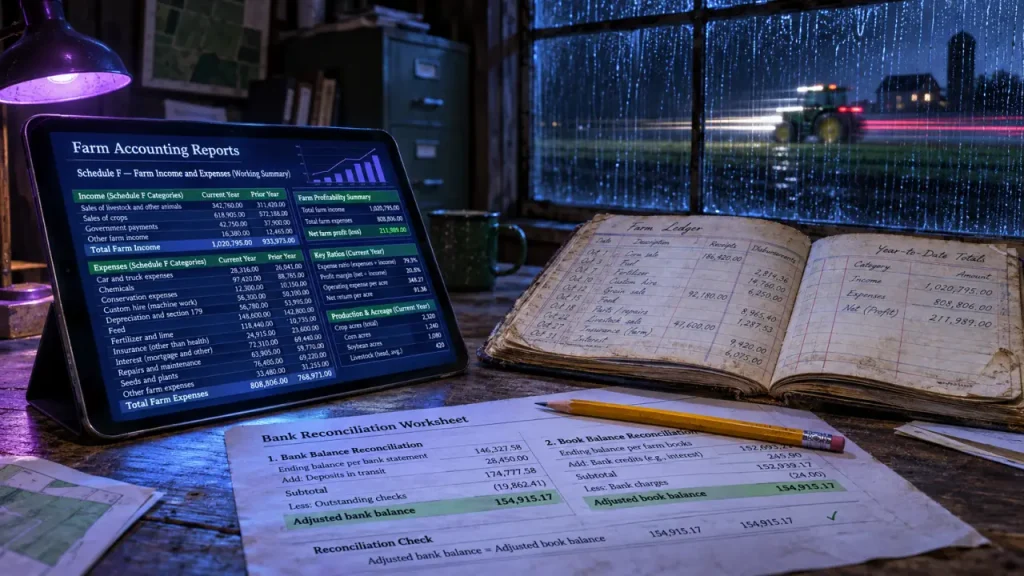
The right accounting software for a farm business depends on what you need beyond tax records. A straightforward operation may be well served by general accounting software configured for agriculture. A farm managing several enterprises, crop years, inventories, or legal entities should look more closely at farm-specific systems. Start with the reports you need, then compare products against the work required to produce them.
Choose the reporting depth your farm actually needs
A bank balance cannot tell you whether your cattle enterprise is covering its feed costs or whether one crop is subsidizing another. Before comparing software, decide whether you need reliable bookkeeping, enterprise analysis, or an integrated view of production and finances.
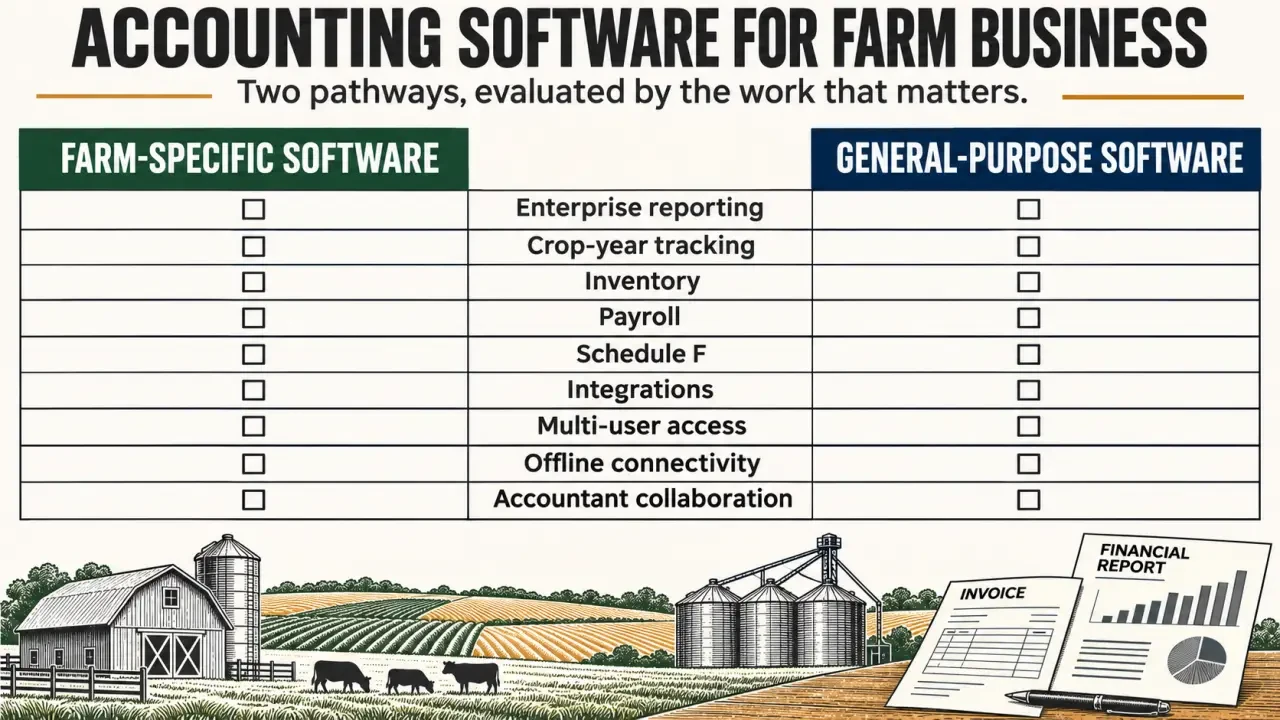
- Basic bookkeeping: income and expense categories, bank reconciliation, invoices, bills, and tax-preparation exports.
- Enterprise management: separate results for crops, livestock, direct sales, or custom work, with shared expenses allocated consistently.
- Production analysis: costs linked to fields, acres, bushels, livestock groups, or crop years.
- Organizational complexity: separate legal entities, multiple locations, employees, and controlled access for different users.
Choose according to complexity rather than acreage alone. A small mixed farm with employees, retail sales, and several enterprises can need more accounting structure than a larger operation selling one commodity.
Think of your reporting structure as scaffolding: the chart of accounts provides the uprights, while enterprise, field, and crop-year tags provide the cross-braces. Creating a separate expense account for every field can make the structure unwieldy. Instead, ask whether one seed expense can carry the relevant enterprise and production-year labels. That lets you examine the same transaction from several angles without building an unmanageable ledger.
Compare farm-specific products with general accounting tools
Agricultural software can reduce the work of translating farm activity into financial records. General-purpose applications may be sufficient when conventional bookkeeping matters more than production analysis. Neither category automatically guarantees the accounting methods, integrations, or reporting your farm needs.
Official 2025 Guide to Reporting Farm Income and Expenses · Learn how to complete Schedule F and report farm income and expenses with the appropriate federal tax return.
The following shortlist highlights useful starting points, not a ranking. Verify current editions, modules, deployment options, and prices before committing.
| Option | Reason to investigate | What to establish before buying |
|---|---|---|
| Traction Ag | Connects field operations and finances, with crop-year profitability, cash and accrual reporting, Schedule F, and 1099 workflows. | Included integrations, inventory depth, payroll arrangements, and subscription scope. It describes multiple entities within a single subscription. |
| PcMars | Farm-focused accounting established in 1985, with tailored codes for Iowa, Minnesota, Illinois, Michigan, and South Dakota, plus personal customer support. | Required accounting methods, deployment, reporting, data imports, and access for your accountant. |
| CenterPoint Accounting for Agriculture | An agriculture-focused option to examine when double-entry accounting is a requirement. | Inventory, payroll modules, entity handling, implementation support, and total configuration cost. |
| EasyFarm, Farm Biz, and Ultra Farm | Additional farm accounting candidates worth including in a requirements-based comparison. | Cash or accrual capabilities, inventory workflows, reporting detail, and current support arrangements. |
| QuickBooks Online | A general-purpose double-entry option when standard business bookkeeping is the priority. | Plan-specific reporting, agricultural customization, payroll charges, and whether external tools are needed for production records. |
| Quicken | A recordkeeping candidate for simpler needs. | Whether its bookkeeping approach meets your business reporting, collaboration, and accountant requirements. |
| Wave | A general-purpose alternative to assess for basic business accounting. | Local availability, current plan limits, agricultural reporting gaps, and payroll arrangements. |
Farm-specific does not necessarily mean fully integrated. A system may categorize agricultural expenses well without managing physical grain stocks or allocating machinery costs to fields. Conversely, a general ledger can produce sound financial accounts while leaving detailed farm management in another application.
Test accounting methods, inventory, and crop-year reporting
Separate tax bookkeeping from management profit
Cash accounting generally records income when received and expenses when paid. Accrual accounting recognizes income when earned and expenses when incurred, helping connect financial performance to the relevant activity. Your tax method and management-reporting needs may differ; ask your accountant which adjustments and reports are necessary.
Single-entry versus double-entry is a separate distinction. Double-entry records balancing effects across accounts and supports a structured ledger. Do not assume that a cash report proves a system can also produce the accrual statements your lender requires.
Crop-year reporting also differs from calendar-year bookkeeping. Seed purchased before planting and grain sold after harvest may relate to one production cycle but appear in different calendar years. Ask the vendor to demonstrate that cycle without moving transactions out of their correct financial periods.
Look beyond an inventory checkbox
Ask whether inventory means quantities, financial values, or both. Grain, feed, seed, fertilizer, livestock, and machinery require different records. Equipment asset tracking is not the same as tracking consumable inputs, and livestock head counts alone do not establish inventory valuation.
For cost-of-production reporting, test the denominator as carefully as the expense total. A cost-per-bushel report needs appropriate production quantities; a field margin needs a defensible allocation of shared fuel, labor, and machinery costs. Software cannot make an arbitrary allocation meaningful.
For U.S. operations, inspect Schedule F mapping and any required 1099 workflows with your tax preparer. These features help organize information; they do not replace checking tax treatment. Farms elsewhere should verify local reporting requirements rather than treating U.S. forms as universal.
Compare the full cost and everyday working conditions
Request a written quote for the configuration you will actually use. Base subscription prices or purchase fees may exclude payroll, extra users, additional entities, onboarding, training, integrations, or support. Compare the total cost over the same period, including staff time spent maintaining separate spreadsheets.
- Payroll: confirm seasonal-worker needs, filing coverage, payroll integration, and charges for employees or pay runs.
- Bank connections: verify your institutions, import formats, duplicate handling, and reconciliation tools.
- Access: distinguish browser access, mobile access, desktop installation, and genuine offline functionality.
- Permissions: check whether staff can enter records without seeing payroll or changing closed periods.
- Data protection: ask about backups, recovery, audit trails, data ownership, and usable exports when leaving.
Cloud software can make collaboration easier, but test it on your actual farm connection. Desktop software does not automatically mean every function works offline. Likewise, an integration with a bank or production platform is useful only if it transfers the fields you need without creating duplicate records.
Support deserves a practical test: ask how the provider would resolve a misallocated crop expense or an opening-balance discrepancy. Clear agricultural explanations can matter more than a long feature list.
Run a farm-specific trial before migrating
Use a demo or trial, where available, to reproduce a small but representative slice of your operation. Bring your accountant or bookkeeper into this stage, before choosing accounts and importing historical transactions.
- Enter real workflows: a crop sale, an input purchase, a shared expense, an equipment payment, and payroll if applicable.
- Reconcile an account: confirm that imports can be matched and corrected without obscuring the original transaction.
- Produce decision-ready reports: review income, cash flow, balance sheet, enterprise results, and relevant tax summaries.
- Test collaboration and exit: invite the intended users and export records in formats your accountant can use.
Before going live, agree on a cutover date, verify opening balances, and decide how much history to migrate. Retain accessible copies of older records and reconcile the new system against your bank, loan, inventory, and asset records.
Choose the system that produces trustworthy answers with sustainable effort. If you need tax-ready books, avoid paying for unused production complexity. If you need field-level profitability, do not settle for a ledger that leaves the essential analysis in disconnected spreadsheets.

- Accounting Software for Farm Business: Tax-Ready Books or Field-Level Profitability? - 4 November 2026
- Accounting Software for a Photography Business: Clear Books Without a Second Admin Job - 3 November 2026
- Merlin Business Software: Stock Control, Multi-Site ERP and What to Test in a Demo - 28 October 2026