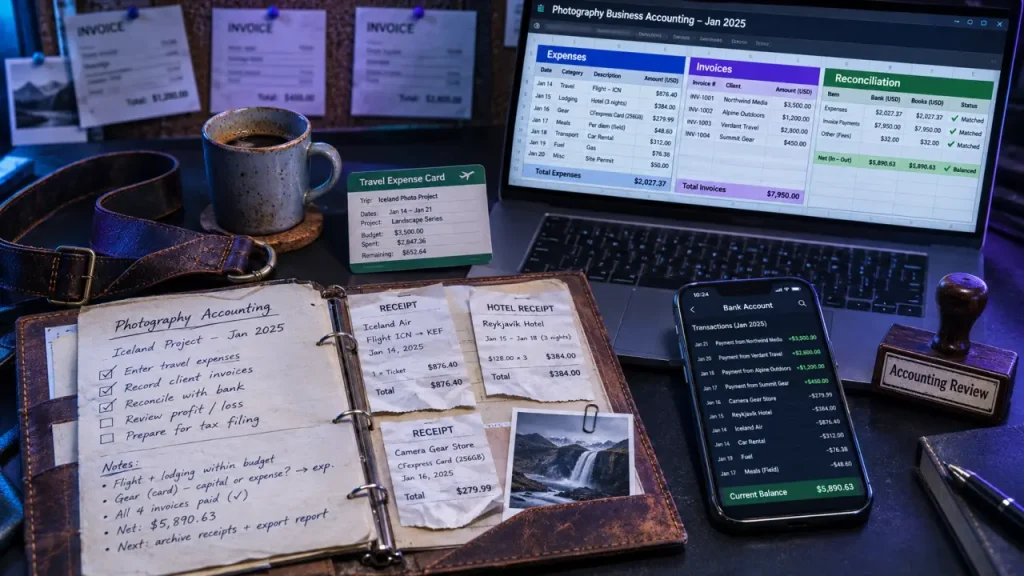
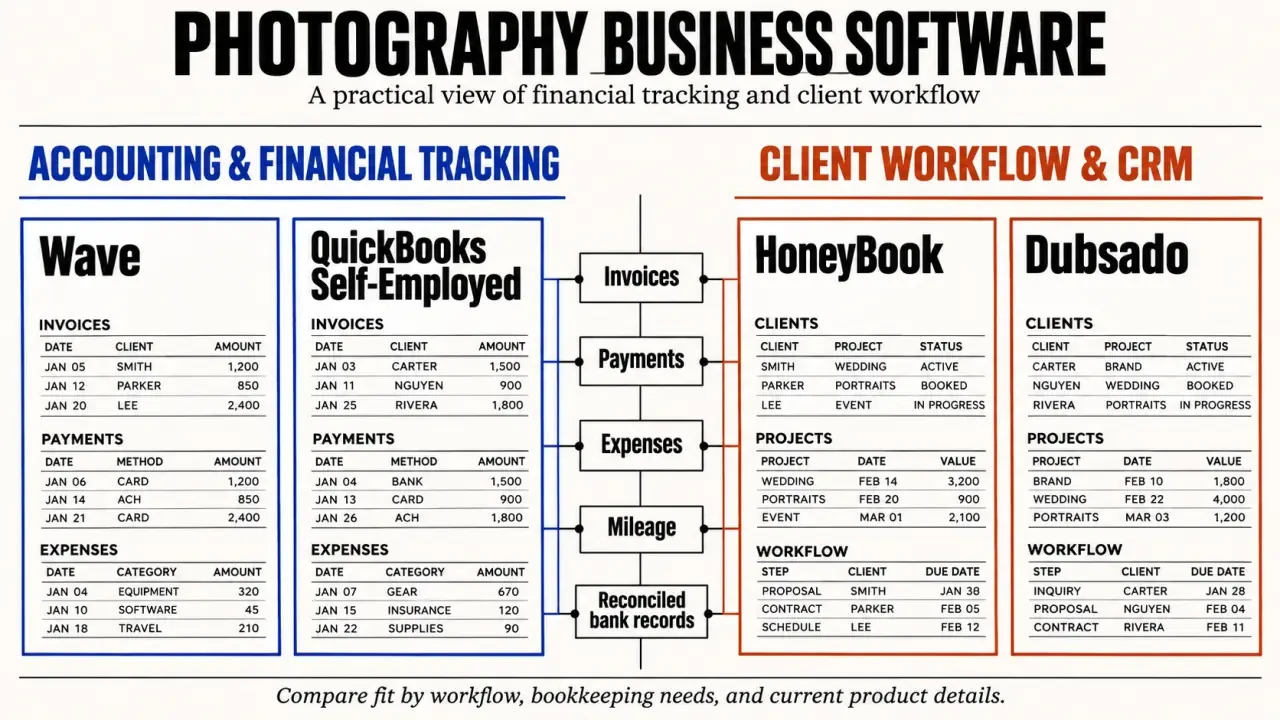
Choose accounting software around the financial work your photography business needs to handle: recording expenses, matching payments to invoices, tracking travel, and seeing what cash remains after bills. Wave is worth considering for straightforward bookkeeping; solo photographers may encounter QuickBooks Self-Employed when researching automation and mileage; HoneyBook and Dubsado belong on the shortlist when client management is the bigger problem.
The important distinction is accounting versus managing bookings. A polished client workflow does not automatically produce complete financial records, and a capable accounting tool will not necessarily replace your booking system.
Start with the work your current system cannot handle
A spreadsheet can be enough if you photograph a handful of sessions each year, keep receipts consistently, and can match every payment to a job. Software is not mandatory simply because you have started charging clients. What matters is whether your records are complete, understandable, and regularly checked against your bank activity.
Consider upgrading when you repeatedly enter the same information, lose track of unpaid balances, or spend evenings reconstructing expenses. Consistent five-figure revenue may prompt a review, but revenue alone is not the deciding factor. Transaction volume, payment schedules, and administrative complexity matter more than an arbitrary earnings threshold.
- Stay with a spreadsheet if transactions are manageable and your monthly checks are reliable.
- Choose accounting software if reconciliation, expense records, and financial reporting are the main gaps.
- Evaluate a CRM if proposals, contracts, booking communication, and payment follow-up consume most of your time.
For a growing studio, ask your accountant which records and reports they need before selecting a plan. It is easier to choose a suitable system than to rebuild incomplete books later.
Compare Wave, QuickBooks Self-Employed, HoneyBook, and Dubsado by role
These names appear in recommendations for photographers, but they are not interchangeable. Use the comparison below as a shortlist, not a guarantee of current pricing or functionality. Check availability in your country, current product names, and plan terms before committing.
| Tool | Primary role | Why consider it | What to verify |
|---|---|---|---|
| Wave | Accounting and invoicing | A starting point for photographers seeking straightforward bookkeeping and payment collection. | Free-plan eligibility, bank connections, processing fees, and paid automation. |
| QuickBooks Self-Employed | Solo-business financial tracking | Associated with recommendations for independent photographers seeking automation and mileage tracking. | Current availability, replacement offerings if applicable, reporting, and migration options. |
| HoneyBook | CRM with light bookkeeping | Worth evaluating when client administration is the main bottleneck. | Whether financial records, exports, and accounting connections meet your needs. |
| Dubsado | CRM with light bookkeeping | Another option for organizing client workflows alongside payment-related administration. | Current plan capabilities and how transactions reach your accounting records. |
Wave is often positioned as a free starting option, but do not assume every useful feature is free. Wave describes automated payment reminders and recurring invoices as Pro Plan features. Its payment offering includes bank-transfer and credit-card options; confirm local availability and transaction charges.
For HoneyBook and Dubsado, evaluate the client workflow separately from the bookkeeping workflow. Invoices and revenue totals are not the same as reconciled accounts. If you use a CRM alongside accounting software, establish which system creates invoices and how payment information moves between them.
Compare total cost rather than subscription price alone: paid add-ons, payment processing, additional users, and the time spent correcting duplicate entries can change the practical value of a plan.
Test the software against an actual photography job
Follow the invoice through to the bank
Use a representative booking during a trial. Create an invoice with your usual payment schedule, record a partial payment, and check how the remaining balance appears. Examine reminders, payment methods, and the handling of refunds. For ongoing commercial work, recurring invoices may be useful; occasional portrait sessions may not justify paying extra for them.
Wave Pricing: Plans, Features, and Payment Fees · Explore Wave’s official pricing, including free bookkeeping tools, unlimited invoices and estimates, and online payment processing fees.
Think of the payment record as a hinge between your client system and your books: both sides must move together. If an invoice is marked paid in your CRM but the bank deposit arrives after processing fees, the figures will not look identical. Test whether you can connect the gross payment, fee, and net deposit without recording income twice. This small junction often matters more than an impressive dashboard.
Record the costs that disappear between shoots
Enter more than a camera purchase. Try recording parking, tolls, fuel, printing, editing subscriptions, and a business-related meal, attaching receipts where supported. Check whether categories are easy to correct and whether you can associate costs with a job. Expense records can reveal why a well-paid assignment leaves less cash than expected.
For mileage, look for a practical way to record dates, destinations, distance, and business purpose. Automated tracking is useful only if you review journeys and separate personal travel. Tax treatment varies by jurisdiction: recording a cost does not make it deductible, and mileage and actual vehicle-cost methods may have different rules.
Finally, test exports. You should understand how to retrieve transaction details, invoices, and supporting documents if you change providers or share records with an accountant.
Build a routine that keeps cash flow and tax records usable
Software reduces repetitive work, but it cannot decide whether every imported transaction is correct. A short, repeatable review is more valuable than leaving automation unchecked until tax season.
- Weekly: attach receipts, review new transactions, record business travel, and check overdue invoices.
- Monthly: reconcile accounts by matching recorded transactions with statements and investigating differences.
- Before major spending: review cash available, outstanding invoices, upcoming bills, and money reserved for taxes.
- Before filing: resolve unclear categories and give your tax professional organized reports and supporting records.
Keep cash flow separate from the value of bookings. A signed wedding contract is not money in the bank, and a received payment may need to cover future delivery costs. Viewing upcoming commitments alongside available funds helps prevent spending money already needed elsewhere.
Equipment purchases, client retainers, sales taxes, contractor payments, and personal withdrawals can require different accounting treatment. Ask a qualified professional familiar with your location rather than assuming the software’s suggested category settles the issue.
Choose the simplest setup that passes your trial
Shortlist one accounting-first option and, if needed, one CRM-first option. Run the same booking, expense, and payment examples through each. The stronger choice is the system you can maintain accurately—not necessarily the one with the longest feature list.
Before subscribing, confirm these practical details:
- Connections to your bank and existing payment tools.
- Access and useful exports for your accountant.
- Security controls, account recovery, and support availability.
- Costs at your expected transaction volume, not just the introductory rate.
- A workable route for moving your records elsewhere.
When switching, choose a clear start date, retain your old records, and check opening balances and outstanding invoices. Avoid importing the same transactions through multiple routes.
The right accounting software for a photography business makes the next financial decision easier. You should be able to see who owes you, understand your spending, and hand over usable tax records without rebuilding the year from receipts. If a modest system achieves that reliably, there is no need to buy more complexity.